How Can We Help?
< Back
Updated
Remove Wallet Data
There may be times when you need to remove wallet data from your device for reasons such as for security concerns, switching devices, app malfunctions/bugs, or privacy reasons.
Depending on your situation, there are several methods to remove wallet data from your device:
From the login screen:
If you have forgotten your app/browser extension password, can’t log in due to a bug, and have access to your recovery phrase.
Accessing Security Settings
If you are transitioning to a new device or experiencing issues with data not loading properly due to a bug.
Accessing Wallet Selector
If you need to delete a wallet with no funds that you no longer use.
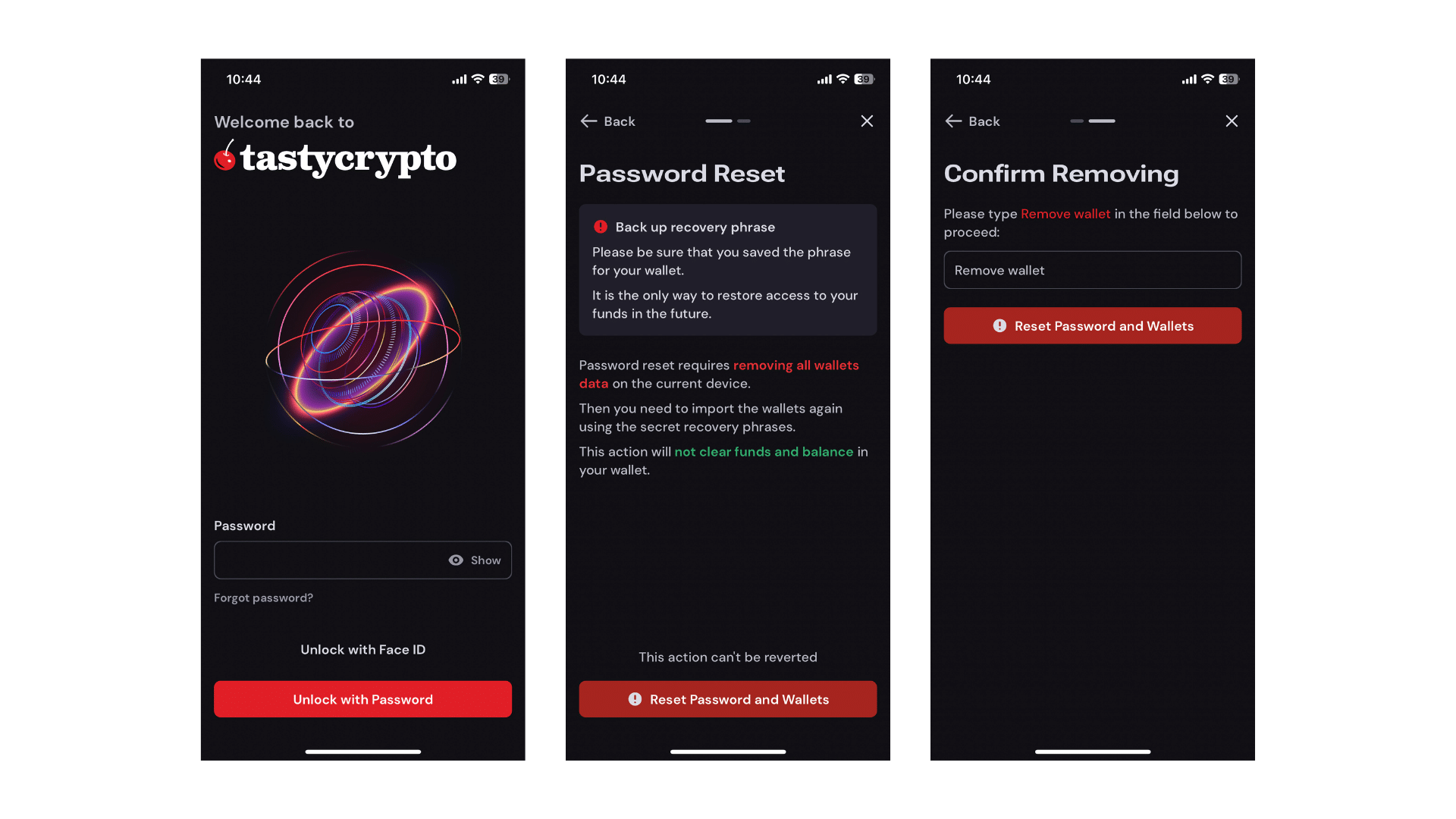
From the Login Screen
- Select Forgot Password.
- Make sure you have carefully read the Password Reset information.
- Note: This action cannot be reverted once completed!
- Select Reset Password and Wallets.
- Ensure you have thoroughly reviewed the Password Reset information.
- Note: This action cannot be undone once completed!
- Enter the specified phrase in the text box and click on Reset Password and Wallets.
- All wallet data has been deleted from the specific device. You can now import your wallet back onto the device and create a new password:
- Click here for instructions on how to import your wallet(s).
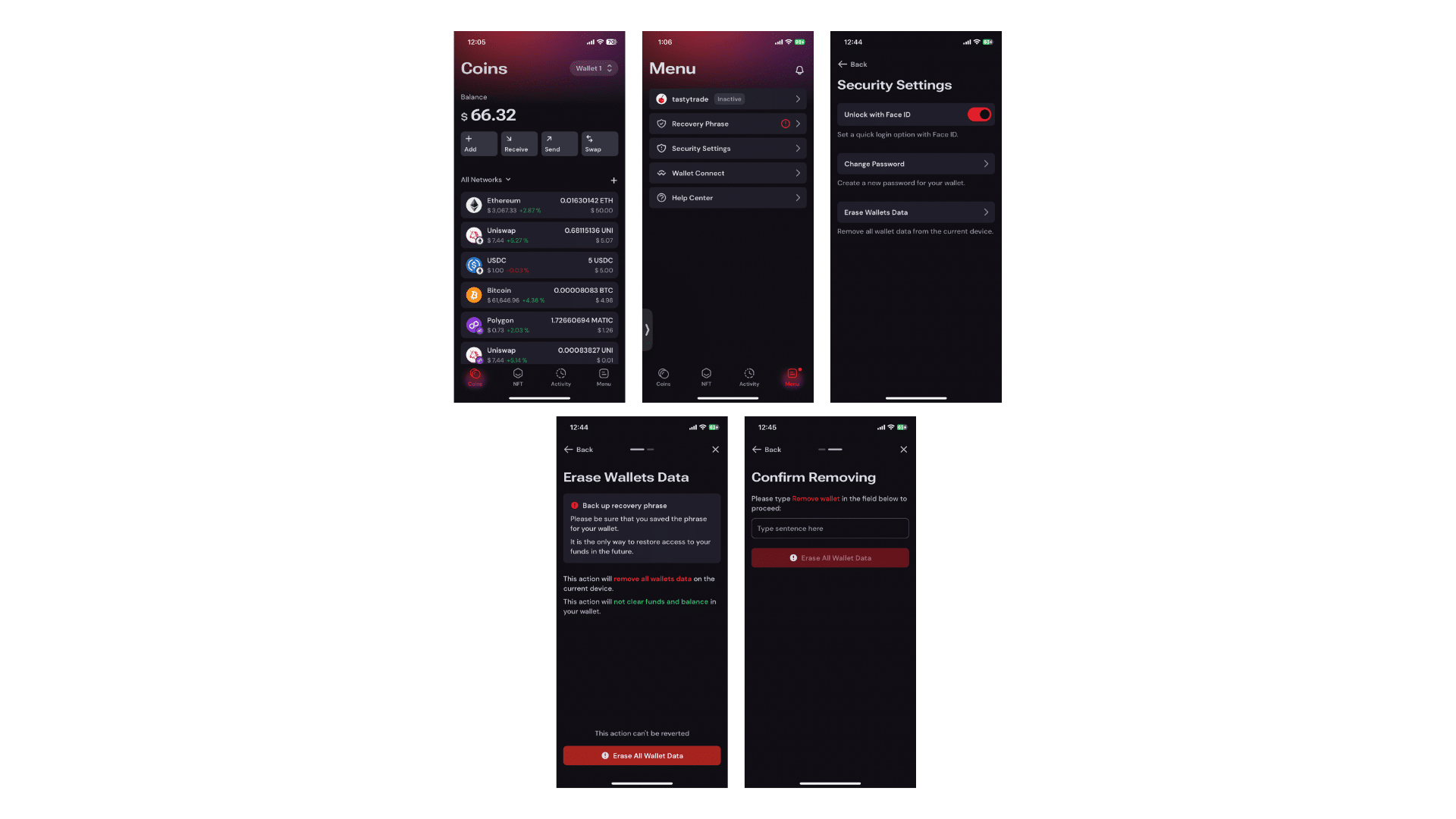
Accessing Security Settings
- Access your wallet.
- Select Menu on the bottom navigation bar.
- Choose Security Settings.
- Select Erase Wallet Data.
- Review the Erase Wallet Data information carefully. Note that this action cannot be undone.
- Enter the specified phrase in the text box and click Erase All Wallet Data.
- All wallet data has now been deleted from the device:
- Click here for instructions on how to import your wallet.
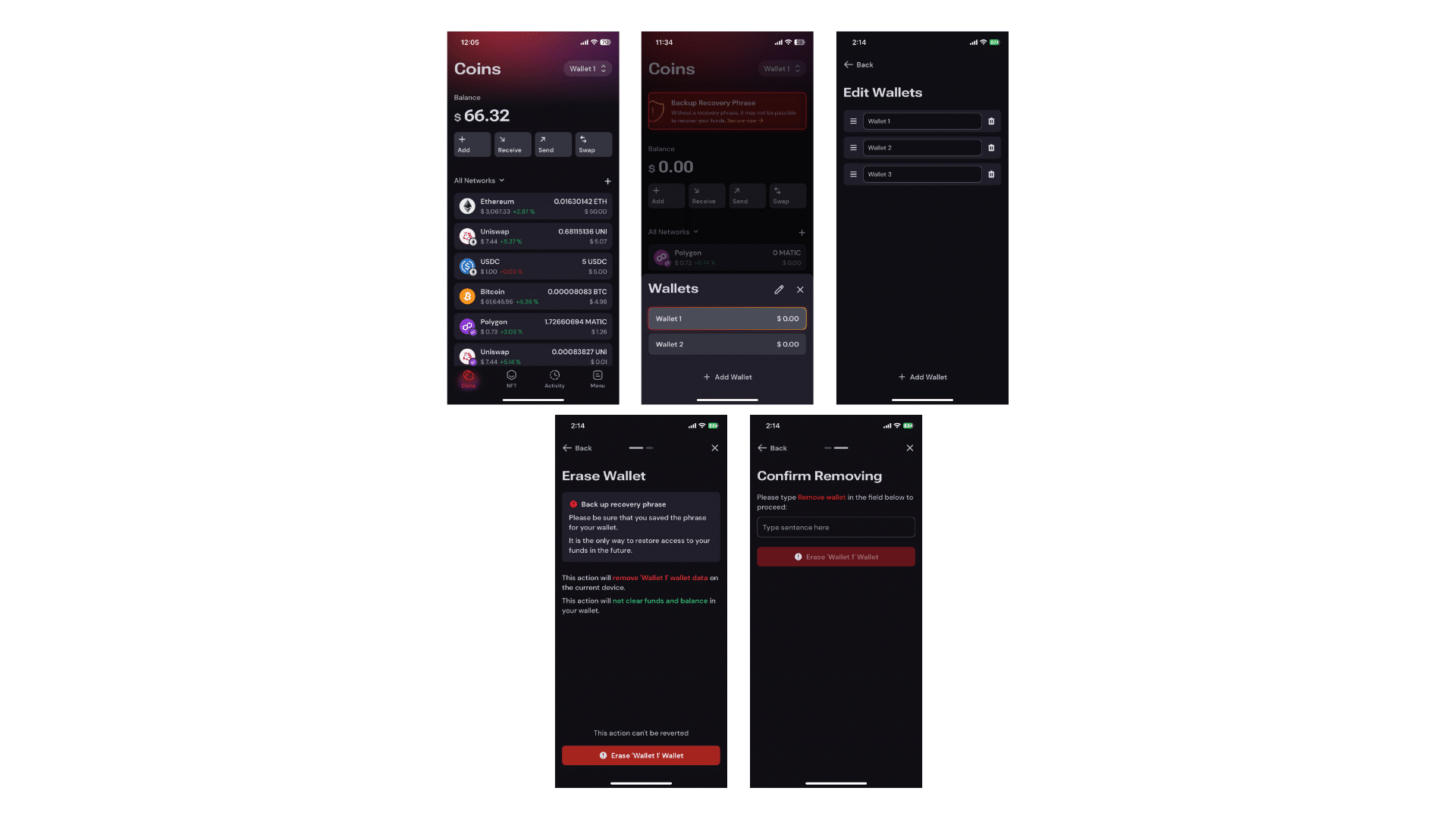
Accessing Wallet Selector
- Access your wallet.
- Click on the Wallet Selector in the top right corner.
- Click on the pencil icon.
- Click on the trash can icon.
- Select Erase (wallet name) Wallet:
- Verify that you are deleting the correct wallet by verifying the wallet name.
- Enter the specified phrase in the text box and click Erase (wallet name) Wallet.
- All wallet data has now been deleted from the device:
- Click here for instructions on how to import your wallet(s).